openIntelQong
ReVanced CLI Initialize Guide (Linux)
In this guide, we are going to use ReVanced CLI on Linux to patch instead of manager. This guide mainly centers around debian-based distros, but you can adapt them to fit arch-based ones. Also, If you are using Linux, we expect you know how to use Google and the command line interface, such as quoting/escaping parameters and using tab to auto-complete.
1. Install Java Development Kit (JDK)
We can use JDK version 11, 17 or 20. Change the number to install different versions.
bash Install openjdk 17
sudo apt install openjdk-17-jdk
!!!
Don’t use sudo if you are doing this with termux.
!!!
2. Get ReVanced related files
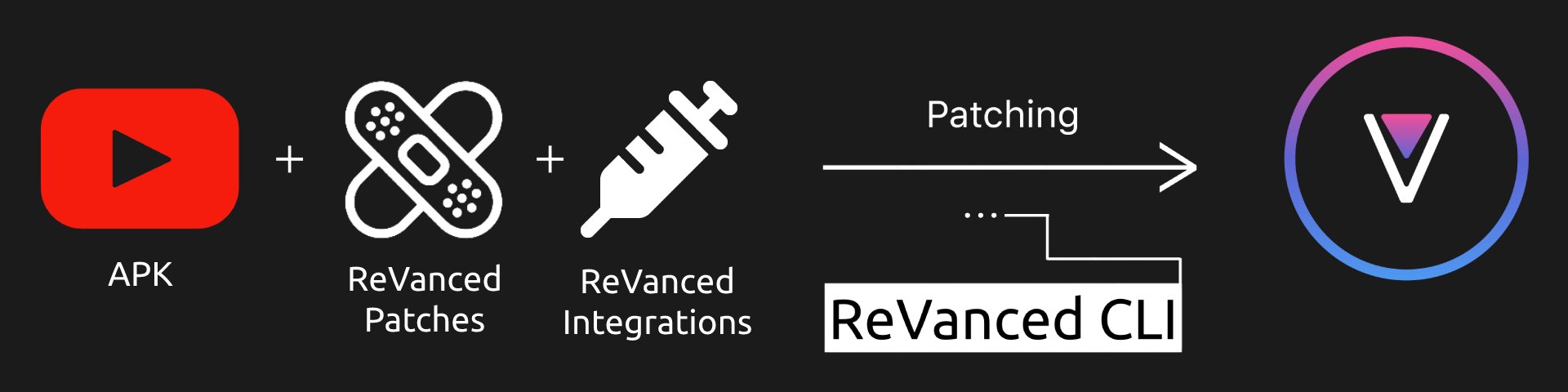
- Get the following required files
- ReVanced Patches, you need the
.jarfile. - ReVanced CLI, you need the
.jarfile. - ReVanced Integrations, you need the
.apkfile.
- ReVanced Patches, you need the
- Put all of the files in a directory. Lets call it
revancedfor now.
3. Get the APK you wanted to patch
- If you want YouTube APK, get the YouTube apk link at step by step guide
- If you want other APKs, find the supported version at versions.md
- Put the APK you downloaded in the same directory with the 3 files you downloaded just now.
- Rename the APK to a shorter name, preferably without spaces and special symbols
!!!warning Make sure you downloaded the full APK, not .apks/.apkm/split apks !!!
4. Sanity checks
- Go to the
revanceddirectory you made just now - Open a terminal if you haven’t already
- Run
ls, you should see the 4 files you downloaded just now - Run
java -version. The version of JDK you installed in Part 1 should appear - Don’t close the terminal, continue to the next section
5. Continue
This section has been completed. Go back to the main cli guide.